Slow, unreliable data access can put businesses at risk of downtime and missed opportunities. Companies are demanding storage that keeps servers running and Slow, unreliable data access[^1] can put businesses at risk of downtime and missed opportunities. Companies are demanding storage that keeps servers running and data centers ahead of the curve.
[^1]: Explore this link to discover effective strategies that can enhance data access, ensuring your business remains competitive and efficient.
ahead of the curve.
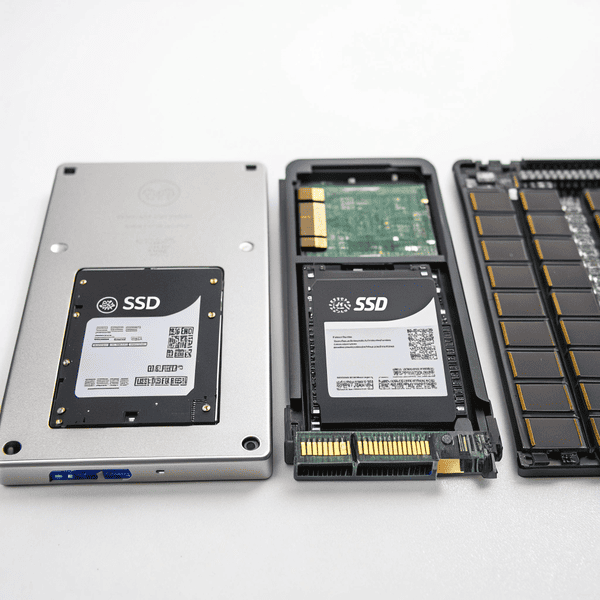
The best SSDs for servers are enterprise-grade NVMe drives such as Samsung PM1733, Intel DC P5510, and KIOXIA CM6. These SSDs combine high endurance, fast speeds, and advanced reliability features, keeping critical business systems up and running.
Every IT manager wants seamless upgrades, better speed, and fewer headaches. Choosing SSDs over traditional drives boosts performance, shrinks recovery times, and supports business growth. When cost and reliability line up, SSDs are the smart choice. With solid insight, you can select drives that match your specific workload and goals.
Which SSD is best for servers?
Businesses lose productivity when servers lag, crash, or need constant fixes—everyone wantsBusinesses lose productivity when servers lag[^1], crash, or need constant fixes—everyone wants drives that perform under pressure.
[^1]: Understanding the causes of server lag can help businesses implement effective solutions to enhance productivity.
.
The best SSDs for servers are high-end NVMe enterprise models like Samsung PM1733, Intel DC P5510, and KIOXIA CM6. These are built for rapid data access, endurance, and dependable uptime in demanding environments.
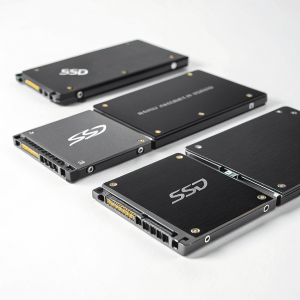
NVMe, SATA, SAS: Which Format Fits Your Server Needs?
Enterprise-class SSDs deliver much more than fast file transfer—they offer sustained performance even under intense workloads. NVMe SSDs use PCIe connectors for top bandwidth and speed, while SATA and SAS options trade off maximum speed for compatibility with older systems.
Samsung’s PM1733 can hit read speeds of 6,400 MB/s and comes with features like robust wear leveling and data protection. Intel DC P5510 is popular for its Samsung’s PM1733 can hit read speeds of 6,400 MB/s[^1] and comes with features like robust wear leveling and data protection. Intel DC P5510 is popular for its high reliability and secure firmware. KIOXIA CM6 brings up to 6,900 MB/s—even in heavy-use servers.
[^1]: Discover how high read speeds can enhance performance in data-intensive applications.
KIOXIA CM6 brings up to 6,900 MB/s—even in heavy-use servers.
| Model | Form Factor | Interface | Speed | Reliability Features |
|---|---|---|---|---|
| Samsung PM1733 | U.2, M.2 | NVMe | 6,400 MB/s | PLP, wear leveling |
| Intel DC P5510 | U.2 | NVMe | 7,000 MB/s | Advanced ECC, security |
| KIOXIA CM6 | U.3 | NVMe | 6,900 MB/s | Full DP protection |
| Samsung 860 PRO | 2.5” | SATA | 560 MB/s | Lower cost, legacy support |
I’ve found the best solution is matching the SSD to the server’s role—heavy transaction servers need NVMe, older nodes work well with top-tier SATA drives.
Are SSDs used in data centers?
Aging hard disks slow progress and reliability. Companies want new solutions that deliver both speed and resilience.
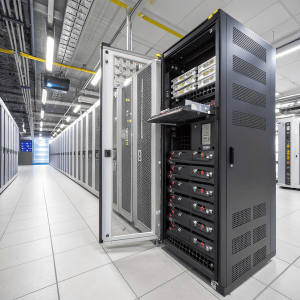
Yes, SSDs are widely used in data centers for fast, reliable storage in critical tasks like databases, virtualization, and analytics. They outperform HDDs inYes, SSDs are widely used in data centers for fast, reliable storage[^1] in critical tasks like databases, virtualization, and analytics. They outperform HDDs in access speed and uptime, but are still paired with hard drives for large-capacity needs.
[^1]: Explore this link to understand how fast, reliable storage can enhance data center performance and efficiency.
and uptime, but are still paired with hard drives for large-capacity needs.
Where SSDs Excel in Data Centers
Data centers switch to SSDs wherever speed and uptime are essential. From online transaction processing to virtual machines and real-time analytics, SSDs shrink load times and boost user experience. Still, for cold storage and backups,Data centers switch to SSDs[^1] wherever speed and uptime are essential. From online transaction processing to virtual machines and real-time analytics, SSDs[^1] shrink load times and boost user experience. Still, for cold storage and backups, HDDs remain cost-effective.
[^1]: Explore this link to understand the advantages of SSDs in enhancing performance and reliability in data centers.
remain cost-effective.
Hybrid setups are typical. SSDs run front-end databases, critical VM hosts, and analytics clusters, while HDDs store mass backups. SSD arrays allow near-instant access and slash downtime.
| Storage Type | Tasks | Main Benefit |
|---|---|---|
| Enterprise SSD | OLTP, VMs, analytics | Speed, uptime |
| HDDs | Archives, backups | Cost, capacity |
| Hybrid | Most data centers | Balanced approach |
After my company upgraded our core systems to SSDs, software updates finished faster, and customer databases hardly ever slowed down. For massive archives, we still use HDDs.
Are SSDs better for servers?
Server overload can cause slow response, lost orders, and long recovery times—everyone seeks storage that eliminates these setbacks.
SSDs are better for servers than HDDs when SSDs are better for servers than HDDs when high speed[^1], low latency, and reliable access matter, especially for databases, transaction-heavy tasks, and virtualization. HDDs still win for raw capacity and lower cost.
[^1]: Explore this link to understand how high speed SSDs can enhance server performance and efficiency.
, low latency, and reliable access matter, especially for databases, transaction-heavy tasks, and virtualization. HDDs still win for raw capacity and lower cost.
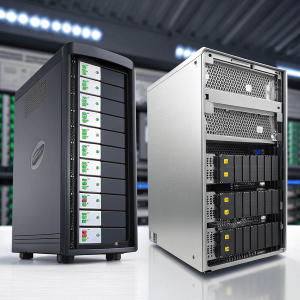
Comparing SSDs to HDDs: Which Wins in Servers?
For most day-to-day server jobs, SSDs outpace HDDs in every metric except cost per terabyte. Fast read/write speeds allow apps to respond instantly, virtual machines to boot quickly, and analytics to run smoothly. SSDs use less power, stay cooler, and fail less often due to no moving parts.
Hard disk drives remain useful for storing huge amounts of non-critical data cheaply. Combining SSDs for performance and HDDs for capacity gives the best of both worlds.
| Feature | SSDs | HDDs |
|---|---|---|
| Speed | Very High | Moderate |
| Latency | Milliseconds | Seconds |
| Power Consumption | Low | Higher |
| Endurance | High (enterprise) | High |
| Cost/Capacity | Higher | Lower |
I rely on SSDs for project databases, ERP, and web hosting. For old logs and internal backup, my team uses large-capacity HDDs. Performance demands have made this mix almost universal in modern IT.
Conclusion
SSDs lead in server and data center performance. When speed and uptime matter, enterprise SSDs are the best choice—HDDs still fill the gap for bulk storage.