
Is your game library getting so huge that you need more space and speed? Wondering if external SSDs or USB drives are up for gaming? I’ll break down the real-world differences so you don’t waste time or money.
External SSDs are a great choice for gaming PCs—when connected using a fast USB port (USB 3.2 Gen 2[^1] or higher), they deliver quick load times, smooth play, and plenty of room for your growing library
[^1]: Learn how USB 3.2 Gen 2 enhances data transfer speeds, crucial for optimal gaming performance and quick load times.
are a great choice for gaming PCs—when connected using a fast USB port (USB 3.2 Gen 2 or higher), they deliver quick load times, smooth play, and plenty of room for your growing library. You can run games—like Steam titles—directly off the drive with little or no slowdown versus internal SSDs, as long as you’re using a modern connection[2][3][6][7]. USB flash drives, on the other hand, are much slower and not recommended for running games[2][3].
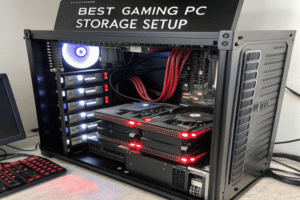
If your storage is full and you need to expand, external SSDs and USB drives look tempting. I’ve tried them when I was juggling massive Steam updates and overflowing game files. But not all portable storage is made equal for gaming: the interface and speed matter. USB flash drives are fine for moving files, but for big games, you’ll want SSD performance. Let’s look closer at how each option stacks up.
Are external SSD drives good for gaming PCs?
You want extra space and portability, but will external SSDs slow down your games or create headaches? Like many, I tried running games from external SSDs to avoid deleting my favorites.
External SSDs work well for gaming PCs—plugged into a speedy USB 3.2 port, they deliver fast game load times and let you play directly from the drive. You can easily run Steam games, transfer game libraries, and get portable storage without major sacrifices in speed.[2][3][6][7]
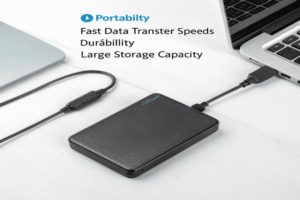
Details: Gaming Performance & Convenience
| Feature | External SSD | Internal SSD | HDD/USB Flash Drive |
|---|---|---|---|
| Game load times | Fast (USB 3.2+) | Fastest, top speeds | Slow/Very slow |
| Steam compatibility | Yes—run games directly[2][3][6] | Yes | Not recommended |
| Portability | High—move games easily | Fixed, non-portable | High |
| Storage size | Up to 8TB (Crucial, Seagate)[2][3][9] | Up to 8TB+ | Usually <1TB |
| Downsides | Slow on old USB ports, more $ | Needs install | Performance bottleneck |
I’ve tested external SSDs for gaming on laptops and desktops, and you barely notice the difference from internal SSDs if you use I’ve tested external SSDs[^1] for gaming on laptops and desktops, and you barely notice the difference from internal SSDs if you use USB 3.2 Gen 2 or better
[^1]: Explore this link to understand how external SSDs can enhance your gaming experience and performance.
[7]. Games load fast, updates run smoothly, and random read speeds (important for gaming) are very close between external and internal SSDs[3][7][10][11]. The big advantage is portability—carry your game library from home to work, or between devices. Just be careful: plug your drive into fast ports (not USB 2.0!) and avoid running multiple heavy devices off the same USB controller to keep speeds up[7]. Some consoles, like PlayStation 5, won’t let you play titles from external SSDs, but PC gamers can easily use them[2][6]. For most setups, especially if you’re out of internal space, external SSDs solve storage headaches with little compromise.
Which is better SSD or USB drive?
Both SSDs and USB drives let you add space, but which is better for gaming and big files? I’ve used many flash drives to move files, but they always fall short for high-performance gaming.
SSD drives are better than USB flash drives for gaming and big file transfers. SSDs offer much higher speeds (often 100× faster), superior reliability, and can run games directly. USB flash drives are cheap and portable, but too slow and not designed for consistent gaming performance[2][3][6][7][9].
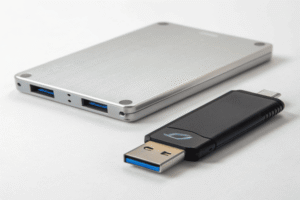
Comparing SSDs and USB Flash Drives for Gaming
| Feature | SSD | USB Drive |
|---|---|---|
| Speed (Read) | 1,000–2,000+ MB/s[2][3][6][9][10][11] | 10–100 MB/s (max)[2] |
| Reliability | High (no moving parts) | Lower (less durable) |
| Game support | Yes, play/run games[2][3][6][7][10] | Not recommended |
| File transfer | Fast | Slow |
| Typical size | 250GB–8TB[6][9] | 8GB–256GB |
| Price | Higher $/GB | Cheap, low capacity |
Flash drives are convenient for moving documents, photos, or patches, but their slow speed and limited durability make them unfit for demanding gaming[2][3]. Modern external SSDs, like WD, Samsung, Seagate, and Crucial, use fast NAND and USB 3.2+ interfaces, delivering great results for game installs, updates, and live play[2][3][6][7][9][10][11]. You can load big titles (over 100GB each) and move several games at once. SSDs beat USB drives for running games, managing large libraries, and keeping pace with updates. For gamers, SSD is the clear winner.
What is the best storage for a gaming PC?
You want to balance speed, capacity, and cost—what’s the best storage for today’s gaming rigs? I experimented with SSDs, HDDs, and external drives before choosing a setup.
The best storage for a gaming PC is a fast SSD (The best storage for a gaming PC is a fast SSD[^1] (NVMe M.2 or external SSD with USB 3.2+) for primary games and OS
[^1]: Explore this link to understand how a fast SSD can enhance your gaming experience with quicker load times and improved performance.
with USB 3.2+) for primary games and OS, plus a large capacity HDD or external SSD for less-used files. Aim for 1–2TB SSD for most players, more for big libraries.[5][9][10][11]
Optimizing Gaming Storage: Setup Options
| Setup | Recommended Drive(s) | Description | User Type |
|---|---|---|---|
| SSD only | NVMe M.2 PCIe Gen 4/5 SSD[10][11] | Fastest load times, seamless | Pro/mainstream |
| Dual-drive setup | SSD for OS/games + 2–8TB HDD[5][9] | Speed + bulk capacity | Enthusiast/budget |
| External SSD | USB 3.2+/Thunderbolt SSD[2][3][6][7][9] | Flexible, portable | Laptop/portable |
SSDs affect gaming performance, especially in level transitions, patching, or open-world games[5][9][10][11]. NVMe M.2 SSDs—like WD Black SN7100, Samsung 990 Pro, Seagate FireCuda—offer top read/write speeds (7,000 MB/s+), and make a real difference over slower SATA or HDDs[10][11]. For big libraries or limited internal space, add an external SSD (USB 3.2 Gen 2+)—these rival internal SSDs for gaming speed[2][3][7]. HDDs can supplement storage for less-played titles or backups, since they’re cheaper per TB[9][5]. Plan for at least 1TB SSD (2TB is better). If you want portability, external SSDs are the best choice. Always check your motherboard and port support before buying. Your storage setup is the backbone of fast, frustration-free gaming.
Conclusion
For gaming, SSDs—internal or fast external models—offer top speed, reliability, and enough capacity. USB drives are only good for basic file transfers, not gaming.