Having upgraded storage systems multiple times over the years, I’ve noticed external SSDs becoming increasingly popular – and for good reason. The question isn’t whether they exist, but whether they’re the right choice for your specific needs.
External SSDs deliver significant performance advantages over traditional external storage while offering unmatched portability. However, the decision between external and internal SSDs depends on your workflow, budget, and mobility requirements.
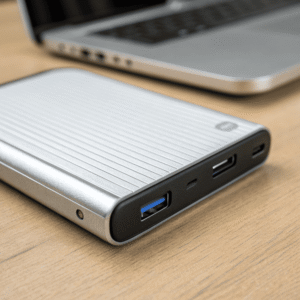
The storage landscape has evolved dramatically. Where we once relied solely on The storage landscape has evolved dramatically. Where we once relied solely on bulky external hard drives or were limited to internal upgrades, external SSDs[^1] now bridge the gap between performance and portability.
[^1]: Explore this link to understand how external SSDs enhance performance and portability, making them a great choice for storage.
or were limited to internal upgrades, external SSDs now bridge the gap between performance and portability.
Which is better, an external hard drive or an external SSD?
Having tested both extensively in real-world scenarios, the performance difference is night and day. External HDDs typically max out at 100-280MB/s due to theirExternal HDDs typically max out at 100-280MB/s due to their spinning disk mechanics and moving parts, while external SSDs[^1] easily reach 540MB/s to 3,500MB/s depending on the interface
[^1]: Explore this link to understand why external SSDs are faster and more efficient than traditional HDDs, enhancing your storage experience.
and moving parts, while external SSDs easily reach 540MB/s to 3,500MB/s depending on the interface.
External SSDs consistently outperform HDDs in speed, durability, and power efficiency, making them superior for most modern applications despite their higher cost per gigabyte.
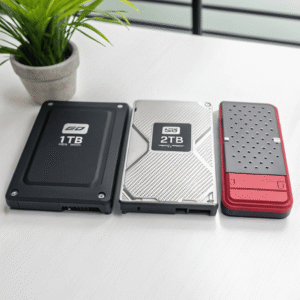
The durability factor cannot be overstated. External HDDs are particularly vulnerable during transport due to their mechanical components – those spinning disks and read/write heads that can be damaged by drops or vibrations [1]. In contrast, external SSDs have no moving parts, making them virtually immune to physical shock damage.
Speed Performance Analysis
| Task | External HDD Time (10GB file) | External SSD Time (10GB file) |
|---|---|---|
| File Transfer | ~60-90 seconds | ~3-20 seconds |
| Game Loading (AAA) | 30-60 seconds | 10-20 seconds |
| 4K Video Scrubbing | Laggy | Smooth |
Power consumption also favors SSDs significantly. While HDDs require substantial power to spin their disks, SSDs consume much less energy, extending laptop battery life[^1] during mobile use
[^1]: Explore how SSDs can enhance your laptop’s battery performance for longer usage.
also favors SSDs significantly. While HDDs require substantial power to spin their disks, SSDs consume much less energy, extending laptop battery life during mobile use [1]. This becomes crucial for professionals who rely on portable setups throughout the day.
However, HDDs maintain advantages in cost-effectiveness and maximum capacity. A 5TB external HDD costs around $120, while equivalent SSD storage commands premium pricing [3]. For bulk storage of archived media or infrequently accessed data, HDDs remain economically viable.
Which external SSD is best?
After evaluating numerous models across different price points and use cases, several factors determine the "best" external SSD for your situation. The interface, capacity, and specific workflow requirements all play crucial roles.
The best external SSD varies by use case: Samsung T7 Shield for rugged portability, Kingston XS2000 for maximum speed, or SanDisk Extreme for balanced performance and value.
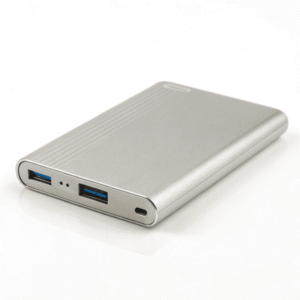
For professionals requiring maximum speed, For professionals requiring maximum speed, NVMe external SSDs with USB 3.2 Gen 2×2[^1] interfaces deliver up to 2,000MB/s transfer rates
[^1]: This resource will help you understand the capabilities of USB 3.2 Gen 2×2, crucial for maximizing data transfer speeds.
with USB 3.2 Gen 2×2 interfaces deliver up to 2,000MB/s transfer rates. The Kingston XS2000 exemplifies this category, offering pocket-sized design with enterprise-level performance [6].
Performance Tier Breakdown
High-Performance Tier (1,500+ MB/s):
- Samsung T7 Shield: Rugged design with excellent thermal management
- Kingston XS2000: Maximum speed in compact form factor
- SanDisk Pro-G40: Professional-grade reliability
Balanced Performance Tier (800-1,400 MB/s):
- Samsung T7: Proven reliability with good price-to-performance ratio
- Kingston XS1000: Budget-friendly option without sacrificing quality
- SanDisk E61: Solid middle-ground choice
The Samsung T7 Shield deserves special mention for its The Samsung T7 Shield[^1] deserves special mention for its rugged construction
[^1]: Explore the features of the Samsung T7 Shield to understand its rugged design and performance benefits.
. Having used it in harsh outdoor conditions, its IP65 rating and shock resistance make it ideal for field work or travel photography [6].
Connection interfaces significantly impact real-world performance. USB-C Thunderbolt 3 connections can handle 40Gb/s, while USB 3.1 Gen 2 maxes out at 10Gb/s [4]. Your computer’s available ports directly influence which SSD will perform optimally.
Can solid state drives be external?
This question touches on a fundamental misunderstanding about storage technology. Not only can SSDs be external, but they represent the evolution of portable storage beyond traditional flash drives and external HDDs.
Solid state drives excel in external configurations, offering the same NAND flash technology as internal SSDs within protective enclosures designed for portability and universal compatibility.
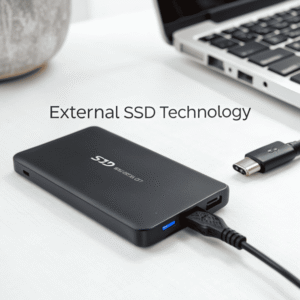
Modern external SSDs use identical storage technology to internal drives – TLC or QLC NAND flash memory managed by sophisticated controllers [4]. The primary difference lies in the enclosure and interface, not the fundamental storage technology.
External SSD Advantages Over Internal Options
Immediate Compatibility: External SSDs work with any device that has USB, USB-C, or Thunderbolt ports. No installation required, no driver conflicts, and no technical expertise needed for setup.
Cross-Platform Flexibility: The same external SSD functions seamlessly across Windows, Mac, iPad Pro, Chromebook, Android, Linux, and even gaming consoles like PS4 and Xbox [4]. This universal compatibility eliminates the platform lock-in associated with internal upgrades.
Backup and Security Benefits: External SSDs serve dual purposes as both active storage and backup solutions. You can work directly from the drive while maintaining separate backup copies of critical data.
The enclosure technology has advanced significantly. Modern external SSDs incorporate thermal management, shock protection, and compact designs that rival internal drives for performance while exceeding them for versatility.
Converting internal SSDs to external use is also possible with appropriate enclosures. SATA-to-USB adapters, M.2 enclosures, and USB installation kits allow repurposing of internal drives [9]. This approach proves particularly valuable when upgrading systems or recovering data from non-functional computers.
Some users even run complete operating systems from external SSDs using Windows To Go technology, creating portable workstations that boot on any compatible computer [12]. This represents the ultimate in storage flexibility – your entire computing environment becomes truly portable.
Conclusion
External SSDs represent a significant leap forward in portable storage technology, offering performance that rivals internal drives with unmatched flexibility and convenience for modern workflows.