Big data and mission-critical systems demand more speed, fewer failures, and fast response. Businesses want storage that supports round-the-clock operations and quick scaling without the pain of downtime.
Yes, data centers use SSDs widely for their speed, low latency, and reliability. SSDs supportYes, data centers use SSDs[^1] widely for their speed, low latency, and reliability. SSDs[^1] support high-performance tasks like databases, virtualization, and analytics, making them essential in many modern IT environments.
[^1]: Explore this link to understand how SSDs enhance performance and reliability in data centers.
tasks like databases, virtualization, and analytics, making them essential in many modern IT environments.
Picking the right SSD for data centers can change the way companies work. SSDs reduce lag, lower energy bills, and help avoid system failures. With growing data demands, SSD adoption is only increasing. Let’s explore which SSDs fit server needs and how enterprise drives solve tough business problems.
Does a data center use SSD?
Old hard drives slow down business, causing long wait times and more risk of lost data—companies need storage that keeps up.
Yes, most modern data centers use SSDs for tasks needing high speed, reliability, and non-stop performance, like running databases, virtual machines, and cloud services.
SSDs in the Data Center: Where and Why?
Data centers deploy SSDs in several ways. Critical applications, like online transaction processing and web hosting, rely on SSDs for very low access times and strong uptime. All-flash arrays provide maximum performance for core workloads. Many centers combine SSDs and HDDs—SSDs manage fast-access needs while HDDs store archives and backups.
SSDs bring much faster read/write speeds, lower latency, and fewer mechanical failures. This makes them ideal for SSDs bring much faster read/write speeds, lower latency, and fewer mechanical failures. This makes them ideal for real-time analytics, AI workloads[^1], and any system that can’t afford downtime. SSDs also reduce energy costs because they run cooler and use less power.
[^1]: This resource will explain the critical role SSDs play in optimizing AI workloads, making it essential for tech enthusiasts.
, AI workloads, and any system that can’t afford downtime. SSDs also reduce energy costs because they run cooler and use less power.
| Storage Use | Device | Reason |
|---|---|---|
| Main databases | SSD | Fast access, uptime |
| Archives backup | HDD | Cheap, high capacity |
| Analytics/VMs | SSD | Instant scaling, reliability |
| Mixed/Hybrid | SSD + HDD | Balance cost and speed |
I moved my office infrastructure to SSDs in the data center—project load times dropped, downtime shrank, and my team started hitting tighter deadlines.
Which SSD is best for servers?
Choosing the wrong SSD slows performance and leads to system failures. Businesses want proven drives for their critical servers.
The best SSDs for servers are NVMe enterprise drives like The best SSDs for servers are NVMe enterprise drives[^1] like Samsung PM1733, Intel DC P5510, and KIOXIA CM6, known for reliable, high-speed data access and strong endurance.
[^1]: Explore this link to understand how NVMe enterprise drives enhance server performance and reliability.
, Intel DC P5510, and KIOXIA CM6, known for reliable, high-speed data access and strong endurance.
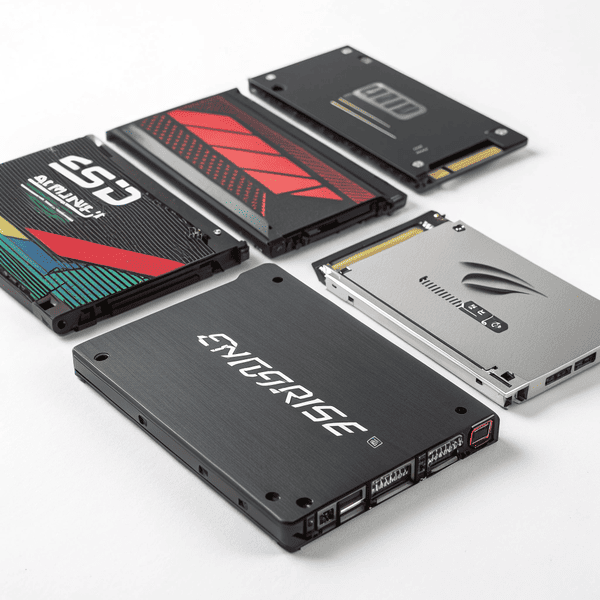
Comparing Top Server SSDs for Enterprise Needs
Server SSDs need to be fast, tough, and consistent. Enterprise NVMe SSDs deliver data at blazing speeds—some reaching up to 7,000 MB/s. They include features such as power-loss protection and advanced error correction, which keep systems online even when problems hit.
Samsung PM1733 is trusted for high transaction loads, while Samsung PM1733[^1] is trusted for high transaction loads, while Intel DC P5510 supports cloud-scale deployments. KIOXIA CM6 offers flexible endurance levels for various workloads.
[^1]: Explore this link to understand how Samsung PM1733 can enhance performance for high transaction environments.
supports cloud-scale deployments. KIOXIA CM6 offers flexible endurance levels for various workloads.
When selecting, match drive endurance and speed to your use case—databases need maximum writes per day, VM clusters demand high throughput and rapid access.
| Model | Form Factor | Interface | Speed | Special Features |
|---|---|---|---|---|
| Samsung PM1733 | U.2, M.2 | NVMe | 6,400 MB/s | Wear leveling, PLP |
| Intel DC P5510 | U.2 | NVMe | 7,000 MB/s | Advanced ECC, firmware secure |
| KIOXIA CM6 | U.3 | NVMe | 6,900 MB/s | Data path protection |
| WD Gold SSD | 2.5” | SATA | 560 MB/s | Good for legacy systems |
For my teams, high-transaction apps use NVMe drives, backup and legacy sites run SATA SSDs. Picking the best drive meant more reliability and faster client support.
What is an enterprise SSD?
Regular drives fail under pressure—enterprise SSDs solve these headaches for busy IT teams that can’t afford to slow down.
An enterprise SSD is a high-end solid state drive designed for mission-critical environments, featuring superior endurance, firmware optimizations, and advanced error correction to handle constant heavy workloads.
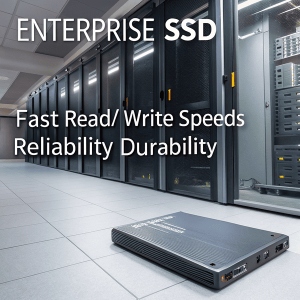
Enterprise SSDs: Key Features That Set Them Apart
Enterprise SSDs aren’t just faster. They use strong components and smarter controllers for round-the-clock tasks. Advanced features include power loss protection and over-provisioning, reducing wear and guarding data against unexpected outages.
Firmware is built for servers—optimizing data paths, wear balancing, and handling constant writes and deletes. Endurance (DWPD) far exceeds consumer SSDs. Robust warranties and high Firmware is built for servers—optimizing data paths, wear balancing, and handling constant writes and deletes. Endurance (DWPD)[^1] far exceeds consumer SSDs. Robust warranties and high Mean Time Between Failures (MTBF) make them essential in environments where downtime is not an option.
[^1]: Understanding Endurance (DWPD) is crucial for selecting reliable SSDs for critical applications.
(MTBF) make them essential in environments where downtime is not an option.
| Feature | Enterprise SSD | Consumer SSD |
|---|---|---|
| Endurance (DWPD) | Up to 10+ | ~0.3 |
| Power Loss Protection | Yes | Rarely |
| Advanced ECC | Always | Sometimes |
| MTBF | >2M hours | ~1M hours |
| Use Case | Data centers, servers | Desktops, laptops |
In my experience, investing in enterprise SSDs meant my business could scale without worrying about breakdowns or lost data—our IT costs lowered over time too.
Conclusion
Data centers rely on SSDs to deliver speed, reliability, and uptime—enterprise SSDs are the foundation for modern server performance and growth.