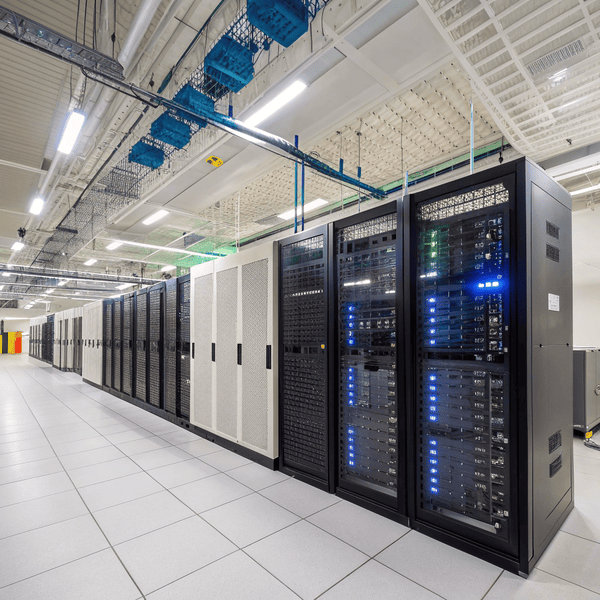
Every business depends on technology, but many never stop to think about what keeps their Every business depends on technology[^1], but many never stop to think about what keeps their critical data safe and running 24/7.
[^1]: Exploring the impact of technology on business operations can provide insights into improving efficiency and protecting sensitive information.
safe and running 24/7.
The 7 components of data center infrastructure are servers, storage, networking, power, cooling, security, and monitoring—each playing a critical role in ensuring uptime, safety, and efficiency.
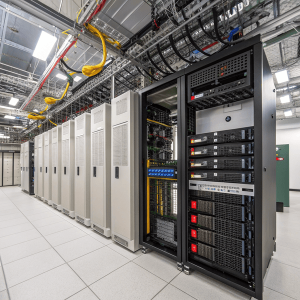
When I first walked into a data center, I expected rows of blinking servers. What I saw was a seamless blend of hardware, systems, and controls. I realized then that good infrastructure isn’t just about speed—it’s about creating harmony between many key components. Let’s look at how each piece fits together.
What are the 7 components of IT infrastructure?
Many people mix upMany people mix up IT jargon, so it’s no wonder there’s confusion about what a data center[^1] truly needs to run reliably.
[^1]: Understanding the essential components of a data center can help you grasp its operational reliability and efficiency.
, so it’s no wonder there’s confusion about what a data center truly needs to run reliably.
The 7 components of IT infrastructure are servers, storage, networking, power supply, cooling systems, security, and management or monitoring tools. These work together for stable and secure operations.
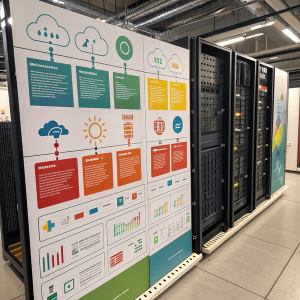
Understanding Each Component’s Role in the Data Center
I remember being responsible for a client’s server room upgrade. We focused first on hardware, but then learned quickly that I remember being responsible for a client’s server room upgrade[^1]. We focused first on hardware, but then learned quickly that power or cooling failures can be just as disruptive as server outages. Here’s how I describe the foundational elements:
[^1]: Exploring best practices for server room upgrades can help ensure a smooth transition and optimal performance.
can be just as disruptive as server outages. Here’s how I describe the foundational elements:
| Component | Core Function | Example |
|---|---|---|
| Servers | Process data and run applications | Web, database, and file servers |
| Storage | Hold digital assets and backups | SAN, NAS, and flash arrays |
| Networking | Move information internally and externally | Switches, routers, cabling, and firewalls |
| Power Supply | Keep systems running without interruption | UPS, generators, dual power feeds |
| Cooling Systems | Manage heat from equipment | HVAC units, CRAC, liquid cooling |
| Security | Control access and prevent breaches | Biometric locks, surveillance, firewalls |
| Monitoring Tools | Track performance and alert on issues | DCIM, environment sensors, software alerts |
Each piece supports the others. For me, it’s like designing a mold: all parts must fit together perfectly to avoid costly downtime or repairs.
What are the key components of a data center?
Businesses rely on their data centers for more than just storage—they need robust protection, Businesses rely on their data centers[^1] for more than just storage—they need robust protection, flexible networking, and controlled environments for hardware.
[^1]: Explore this link to learn essential strategies for protecting your data centers from threats.
, and controlled environments for hardware.
The key components of a data center include computing hardware, storage systems, networking equipment, reliable power solutions, advanced cooling, strong security measures, and continuous monitoring systems.
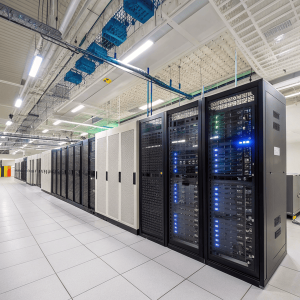
Why Each Element Matters for Modern Data Centers
When upgrading a client’s operations, I always start a checklist of these aspects before spending a single dollar. Strong storage systems keep data safe, but they mean nothing withoutWhen upgrading a client’s operations, I always start a checklist of these aspects before spending a single dollar. Strong storage systems keep data safe, but they mean nothing without stable power[^1] or tight security. Even something simple—like poor air circulation—can destroy hardware faster than a cyber attack.
[^1]: Discover strategies for maintaining stable power in your operations, crucial for protecting your hardware and data.
or tight security. Even something simple—like poor air circulation—can destroy hardware faster than a cyber attack.
| Key Component | Why It’s Important | Real-World Impact |
|---|---|---|
| Compute | Handles company apps and services | Fast website and database performance |
| Storage | Holds critical data; ensures recoverability | Reliable backups; disaster prevention |
| Network | Connects users, systems, and data sources | Smooth communication; 24/7 access |
| Power | Supports uninterrupted work | No costly downtime or data loss |
| Cooling | Preserves hardware life and safety | Lowers chance of server failure |
| Security | Keeps criminals out, protects information | Peace of mind for both business & client |
| Monitoring | Detects issues before they grow | Lower maintenance costs, faster fixes |
I help my clients focus on every piece, because the price of failure is much higher than the cost of doing things right the first time.
What are the five core elements of the data center infrastructure?
Sometimes clients ask me about the “core” components, usually when budget or quick deployment is the main concern.
The five core elements are compute, storage, network, power, and cooling—all essential for any data center to deliver consistent IT services.
Balancing the Essentials for Efficient Operations
When projects are time-sensitive, I always prioritize the basics first. Without resilient servers, solid storage, smooth networking, reliable power, and When projects are time-sensitive, I always prioritize the basics first. Without resilient servers[^1], solid storage, smooth networking, reliable power, and effective cooling, nothing else matters. Let’s compare how these five stack up in a real deployment:
[^1]: Understanding resilient servers is crucial for ensuring project success, especially in time-sensitive environments.
, nothing else matters. Let’s compare how these five stack up in a real deployment:
| Core Element | Function | If Missing… |
|---|---|---|
| Compute | Runs main business operations | No data, no apps |
| Storage | Holds files, backups, databases | Lost info, no recovery |
| Network | Moves data internally/externally | No access, isolated systems |
| Power | Keeps everything on | Sudden outages, lost data |
| Cooling | Prevents overheating/failure | Equipment burns out fast |
Strong operations mean not neglecting even one. My customers are always surprised by the early warning signs when cooling or power begins to fail, but with proper planning, those moments never turn into disasters.
Conclusion
Each component—from servers to monitoring tools—matters in building reliable data center infrastructure. Quality integration of all elements ensures stable, secure digital environments.